Bringing all the best Elite hacks together in five feature-packed discs
The Elite Compendium is a collection of the very best of 6502 Elite, updated with as many hacks and enhancements as I've been able to fit in. If you're looking to play 8-bit Elite, then this is a pretty good place to start.
The Compendium is available for the BBC Master 128, the BBC Micro B/B+ with 16K of sideways RAM, the Acorn Electron with 16K of sideways RAM, and the Commodore 64 and 128. There is also an Addendum with bonus versions for the BBC Micro B+ and B+128. This is what you get in each Compendium:
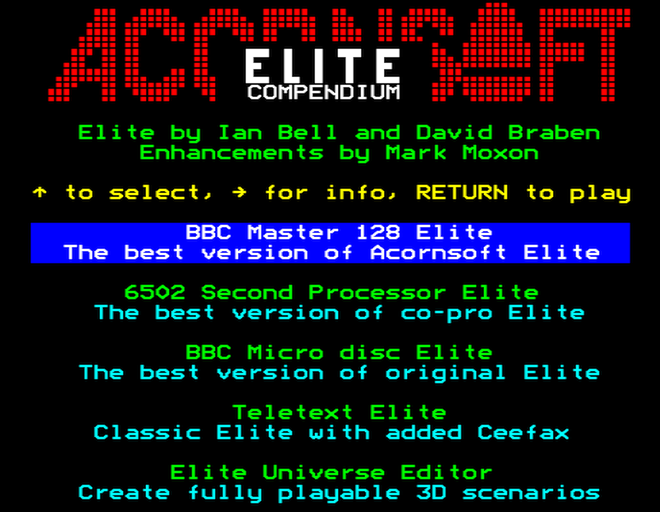 |
BBC Master 128
- Enhanced Compendium versions of:
- BBC Master 128 Elite
- 6502 Second Processor Elite
- BBC Micro disc Elite
- Teletext Elite
- Elite Universe Editor
- Download or play in your browser
|

|
BBC Micro B/B+ with 16K of sideways RAM
- Enhanced Compendium versions of:
- BBC Micro disc Elite
- 6502 Second Processor Elite
- BBC Micro cassette Elite
- Teletext Elite
- Elite Universe Editor
- Download or play in your browser
|
 |
Acorn Electron with 16K of sideways RAM
|
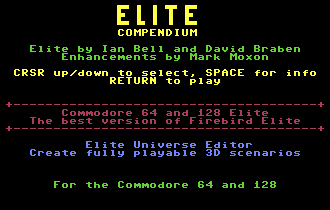 |
Commodore 64 and Commodore 128
- Enhanced Compendium versions of:
- Commodore 64 Elite
- Commodore 128 Elite
- Elite Universe Editor
- Download
|

|
BBC Micro B+ Compendium Addendum
- Enhanced Compendium versions of:
- BBC Master 128 Elite
- BBC Master 128 Elite with music
- For the BBC Micro B+ and B+128, which can also run the BBC Micro version of the Compendium above
- Download
|
Main enhancements in the Compendium versions of Elite
-----------------------------------------------------
All the extra features and enhancements in the Compendium versions of Elite have been backported from other 6502 versions of the game, so everything is part of the official Elite canon. These are the most important extras that you get in the Compendium:
| Flicker-free graphics | I've added flicker-free ships and planets using the improved ship-drawing algorithm from the Apple II, so the game looks much smoother and more beautiful (read more about flicker-free Elite) | Apple II |
| Music | I've added the music from the Commodore 64 version, with two different tunes and options to swap tunes, disable music and change the volume (read more about musical Elite) | Commodore 64 |
| Volume control | I've added volume control for all sound effects (pause the game and use "<" and ">" to change the volume of music and sound effects) | BBC Master |
| Trumbles mission | For the Acorn versions of Elite I've backported the non-sprite version of the Trumbles mission from the NES version (read more about the Trumbles mission) | NES |
| Docking computer improvements | I've backported a couple of docking computer improvements from the NES version, to make auto-docking a bit more enjoyable:
- The station no longer spawns traders, like Transporters or Shuttles, while the docking computer is activated
- Once you're inside the station's safe zone and you've activated your docking computer, you can press "J" to dock instantly
| NES |
| Moving fuel scoops | Fuel scoops will only work when you are moving, which makes a lot more sense | NES |
| Joystick fixes | When joysticks are enabled, the keyboard is no longer disabled, so you can have one hand on the stick and one on the keyboard | BBC Master |
| Delta 14B support | Taking inspiration from Angus Duggan's Elite-A, I've added full support for the Voltmace Delta 14B joystick to the Acornsoft version, so if you are lucky enough to own one of these and the accompanying 14B/1 adaptor box, you can now fly your Cobra Mk III without relying on the keyboard | Elite-A |
All of the Compendium versions of Elite contain all of the above enhancements, with the following exceptions:
- The Compendium version of BBC Micro cassette Elite doesn't include the Trumbles mission, as this version doesn't include any missions at all.
- The Compendium version of Commodore 64 Elite doesn't support the Delta 14B joystick as it's only available for Acorn machines.
- The Compendium version of Acorn Electron Elite doesn't include volume control as the hardware can't support it, and an E00 filing system is required to support music and the Delta 14B joystick.
These are the main features of the Compendium, but there's more, so let's look at exactly what you get in each Compendium version.
More details about the enhanced Compendium versions of Elite
------------------------------------------------------------
There are quite a few other features in the Compendium versions of Elite, so here's a complete breakdown of every single enhancement:
| BBC Master 128 Elite |
- Includes all the enhancements shown above (flicker-free graphics, music, volume control, Trumbles mission, docking computer improvements, moving fuel scoops, joystick fixes and Delta 14B support)
- Enemies have red lasers rather than cyan, just like the 6502 Second Processor version
- I've fixed the following bugs from the original game:
- Deleting a file no longer breaks the "save commander" option, unlike in the official release
- The Data on System screen now works for all systems (in the official release, it breaks for some systems - for example, visiting Biarge during the Constrictor mission will hang the game)
- Long species names now line-wrap correctly in the Data on System screen
- The Moray can now be spawned as a bounty hunter, albeit rarely (in the official release, the Moray never spawns at all, and the ship is never seen in-game)
- Joysticks are now disabled when the docking computer is running
- When played on the BBC Micro B+, you need sideways RAM to support music, so there are two versions on the Compendium Addendum: the version for the B+128 includes music, while the version for the unexpanded B+ does not (the B+128 version will also work on the B+ with 16K of sideways RAM)
|
| 6502 Second Processor Elite |
- Includes all the enhancements shown above (flicker-free graphics, music, volume control, Trumbles mission, docking computer improvements, moving fuel scoops, joystick fixes and Delta 14B support)
- I've slowed down spaceflight so it's about the same speed as standard Elite, as otherwise the game is all but unplayable on the super-fast co-processor (though the power of the co-pro still ensures that there is minimal slowdown when things get busy)
- I've fixed the following bugs from the original game:
- The energy low beeps are now disabled when the sound is turned off
- The Data on System screen now works for all systems (in the official release, it breaks for some systems - for example, visiting Biarge during the Constrictor mission will hang the game)
- Long species names now line-wrap correctly in the Data on System screen
- The Moray can now be spawned as a bounty hunter, albeit rarely (in the official release, the Moray never spawns at all, and the ship is never seen in-game)
|
| BBC Micro disc Elite |
- Includes all the enhancements shown above (flicker-free graphics, music, volume control, Trumbles mission, docking computer improvements, moving fuel scoops, joystick fixes and Delta 14B support)
- I've updated the original 1984 release to run on the Master as well as the BBC Micro (read more about BBC Micro disc Elite on the BBC Master)
- The Acorn Electron version contains all the enhancements shown above except for volume (as the Electron can't physically support different volumes)
- The Acorn Electron version comes in two variants, with or without music: the standard version runs on all filing systems, including Plus 3 ADFS, while the musical version needs E00 DFS, MMFS or ADFS; Delta 14B support is only included in the musical version
- I've fixed the following bugs from the original game:
- The Moray can now be spawned as a bounty hunter, albeit rarely (in the official release, the Moray never spawns at all, and the ship is never seen in-game)
- Long species names now line-wrap correctly in the Data on System screen when docked (this fix doesn't apply in-flight due to memory constraints, and on the Electron it is only present in the musical version)
- The interlace setting is no longer forced to be on, so you can play Elite on monitors and video scalers that need interlace to be off (to disable interlace, enter *TV 0,1 before booting the Compendium disc)
|
| BBC Micro cassette Elite |
- Includes all the enhancements shown above except for the Trumbles mission (so that's flicker-free graphics, music, volume control, docking computer improvements, moving fuel scoops, joystick fixes and Delta 14B support)
- You can now save and load commanders from disc, though to keep the experience authentic, there are no options for cataloguing the disc, changing drive number or deleting files; instead, commanders are only supported on drive 0 (in directory E, as with the disc version), and you have to know the name of the commander to load in advance
- Note that all docking in this version is already instant, so simply engaging the docking computer will take you to the docking bay (there's no need to press "J")
- I've fixed the following bugs from the original game:
- The top-right corner of the compass is no longer corrupted on the title screen
- The interlace setting is no longer forced to be on, so you can play Elite on monitors and video scalers that need interlace to be off (to disable interlace, enter *TV 0,1 before booting the Compendium disc)
|
| Teletext Elite |
- Includes all the enhancements shown above (flicker-free graphics, music, volume control, Trumbles mission, docking computer improvements, moving fuel scoops, joystick fixes and Delta 14B support)
- This is BBC Micro disc Elite, converted to run entirely in teletext mode 7 for peak 1980s nostalgia (read more about Teletext Elite)
- I've fixed the following bugs from the original game:
- The Moray can now be spawned as a bounty hunter, albeit rarely (in the official release, the Moray never spawns at all, and the ship is never seen in-game)
- Long species names now line-wrap correctly in the Data on System screen
|
| Commodore 64 and 128 Elite |
- Includes all the enhancements shown above except for Delta 14B support (so that's flicker-free graphics, volume control, docking computer improvements, moving fuel scoops and joystick fixes); the Commodore version already includes music and the full version of the Trumbles mission
- The disk menu has been enhanced in a number of ways:
- Saving games to disk will now safely overwrite existing files with the same name
- There's a new Catalogue option in the disk menu that shows the contents of the disk
- There's a new Delete option in the disk menu that allows you to delete files
- Saving to disk is selected by default, rather than tape
- On the Commodore 128 the game takes advantage of the 2MHz CPU to give a faster and smoother experience
- On machines with super-fast CPUs, like the Commodore 64 Ultimate in turbo mode, the game speed is capped so it's nicely playable and the graphics are silky smooth and without any slowdowns, even when there's a lot going on
- Planetary features are selected by default
- I've fixed the following bugs from the original game:
- The Data on System screen now works for all systems (in the official release, it breaks for some systems - for example, visiting Biarge during the Constrictor mission will hang the game)
- Long species names now line-wrap correctly in the Data on System screen and do not cause the screen to clear
- The Moray can now be spawned as a bounty hunter, albeit rarely (in the official release, the Moray never spawns at all, and the ship is never seen in-game)
|
| Acorn Electron cassette Elite |
- This is an enhanced version of the original cassette version that doesn't require sideways RAM
- It loads from disc but still uses the tape for saving and loading commander files
- Contains flicker-free graphics, the escape capsule animation, three sizes of stardust and high-fidelity planets (read more about flicker-free Electron Elite)
|
| Elite Universe Editor |
|
The Compendium versions of Firebird Elite work on the unexpanded Commodore 64 and Commodore 128.
For Acornsoft Elite, extra memory is required by all of these Elite hacks, so the Compendium versions need either a BBC Master 128, a BBC Micro with 16K of sideways RAM, or an Acorn Electron with 16K of sideways RAM. You will also need a 6502 co-processor if you want to play the 6502 Second Processor version of Elite.
Apart from the Elite Universe Editor, the use of teletext in Teletext Elite, and Delta 14B support, all of the hacks included in the Compendium are 100% canon - they are all taken from official versions of 6502 Elite, as noted above (and Delta 14B support is from Elite-A, which is as close to canon as it's possible to get). This means they were all written by Elite's authors, Ian Bell and David Braben (with Aidan Bell and Julie Dunn composing the music). So the flicker-free drawing algorithm is from Apple II Elite, the music comes from the Commodore 64 version, the docking computer enhancements are from the NES version, red enemy lasers are from the 6502 Second Processor version, and so on.
So the Compendium is effectively a Greatest Hits of the original Elite, and in terms of gameplay, nothing new has been added; it's all original Bell and Braben brilliance, just backported to work on the BBC Master and BBC Micro.
What else is on the disc?
-------------------------
The Compendium also contains three commander files on drive 0, which you can load into any version of Elite via the save and load menu (press "Y" on the title screen or press "@" when docked):
- MISS1 is for those who want to play the Constrictor mission; load it, launch from the station, dock once again (you have a docking computer) and the mission will start.
- MISS2 is for those who want to play the Thargoid Plans mission, and you can trigger it in the same way.
- MAX is a maxed-out commander to let you hit the ground running.
All of these commanders will also trigger the Trumbles mission when you dock:

If you load MISS1 or MISS2, then the Trumble mission will be offered on your second docking, as the first docking will trigger the missions shown above; if you load MAX, then the Trumbles will be offered on your first docking. Remember that the Compendium implements instant docking with the docking computer, so the quickest way to trigger a mission is to load the relevant commander file, then press f0 to launch, "C" to activate the docking computer, "J" to insta-dock, and then you will be offered the mission.
For versions of the Compendium that include the Elite Universe Editor, there's a full collection of universe files ready for you to load. See the following for more details:
Note that for the BBC versions, the universe files are on drive 2.