The differences between the cassette version and the demonstration disc
The Elite Demonstration Disc is a fork of the BBC Micro cassette version of Elite, with a number of routines removed to make room for the self-flying features, and other routines copied over from the BBC Micro disc version to implement the combat autopilot. See the deep dive on the Elite Demonstration Disc for details.
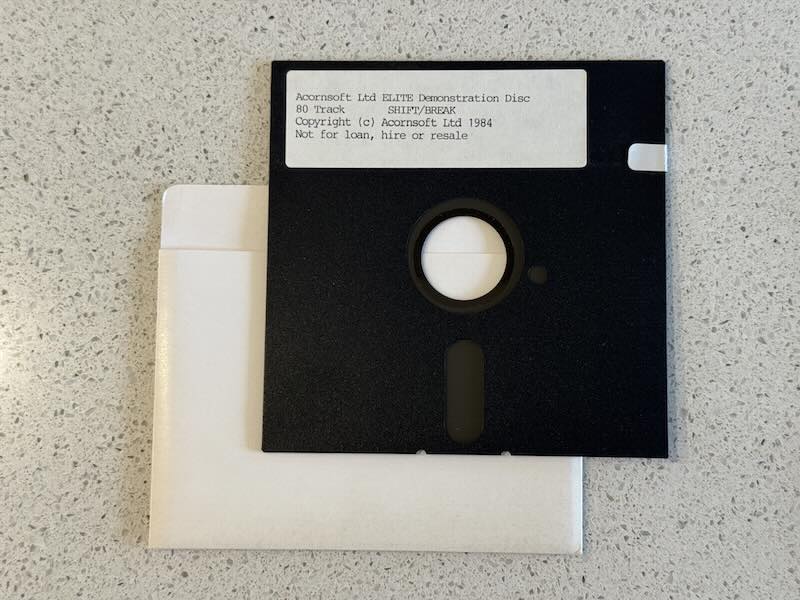
This article contains a complete list of all the code modifications made to the BBC Micro cassette version in order to produce the Demonstration Disc. In the following, the modified routines are shown in the order in which they are run while the demo is progressing, so you might find it useful to refer to the deep dive on program flow of the main game loop, as that covers the entire program flow in the standard cassette version, while the following only covers the modifications.
Links will take you through to the modified code in the Demonstration Disc source code, where all the modifications are shown, along with any code that has been removed. This lets you see exactly what the authors changed to convert the cassette version into the demo.
Note that the code on this site has been extracted from the Demonstration Disc, but it doesn't include the disc protection, which only works on the 8271 disc interface. The version on this site will work on all disc interfaces, including the 1770, as the copy protection is not included.
Variable modifications
----------------------
The following variables have been updated or added for the demonstration:
| Name | Modification details |
|---|---|
| QQ18 | Update the text tokens as follows:
|
| WP | Add five new variables for use by the combat autopilot:
|
| NA% | Update the commander for the demo:
|
| CHK2 | Add the correct second checksum for the updated commander |
| CHK | Add the correct checksum for the updated commander |
Code modifications when docked
------------------------------
These are the code modifications that are run when the demo first loads and the ship is still in the station:
| Name | Modification details |
|---|---|
| Elite loader (Part 4 of 6) | Remove the long wait for a key press on the Acornsoft loading screen |
| BR1 (Part 1 of 2) | Remove the "Y/N" key press detection code for the first title screen |
| TITLE | Show each of the title screens for 255 loop iterations and disable the joystick detection code |
| RESET | Set hyperspaceDone to zero to indicate that we have not yet performed the hyperspace to Riedquat |
| QU5 | Remove the commander file checksum code |
| BAY | Add code to do the following:
|
| DELAY | Add a call to the new ProcessDemoKeys routine to check for the supported key presses in the demo |
| TT102 | Add a five second delay to the Status Mode screen, disable the code for the "@" key so it doesn't save commander files |
| TT167 | Add a five-second delay after showing the Market Price screen |
| TT25 | Add a five-second delay after showing the Data on System screen |
| EQSHP | Add code to demonstrate buying of equipment:
|
| gnum | Return a random number in the correct range instead of waiting for the player to enter one |
| TT219 | Add code to do the following after displaying the Inventory screen following the cargo-buying part of the demo:
|
| TT210 | Add a five-second delay after showing the cargo list |
Code modifications following launch
-----------------------------------
These are the code modifications that are run when the ship has launched but has not yet performed the hyperspace jump to Riedquat:
| Name | Modification details |
|---|---|
| TT110 | Add code so as soon as we launch, we show the Short-range Chart, which will then trigger the hyperspace process in TT17 to set up a hyperspace to Riedquat |
| TT17 | Remove joystick support from the chart screens and add code to automatically move the crosshairs from Lave to Riedquat before initiating a hyperspace and switching to the front space view |
| U% | Add code to clear KL when clearing the key logger |
| LOOK1 | Remove support for views other than the front view |
| TTX66 | Remove support for views other than the front view |
| TT18 | Remove support for making a manual mis-jump by holding down CTRL |
Code modifications for combat
-----------------------------
These are the code modifications that are run once we have reached Riedquat and are on combat alert:
| Name | Modification details |
|---|---|
| SOLAR | Set the value of hyperspaceDone to non-zero indicate that we have hyperspaced to Riedquat |
| DOKEY | Add code to do the following after displaying the Inventory screen following the cargo-buying part of the demo:
|
| DK4 | Replace the original game's pause key processing code with a call to the new ProcessDemoKeys routine |
| cntr | Force keyboard damping to be used |
| REDU2 | Force keyboard auto-recentre to be used |
| Main flight loop (Part 3 of 16) | Disable our lasers via enableLasers when missile lock is achieved, and remove the code for processing the energy bomb, escape pod, in-system jump, E.C.M. and docking computer |
| LASLI | Minor label change (has no effect) |
| TACTICS (Part 2 of 7) | Initialise the RAT, RAT2 and CNT2 variables used by the docking computer code |
| TACTICS (Part 5 of 7) | If a ship fires a missile at us, immediately switch our target to be that missile by setting targetShip to launchedMissile |
| TACTICS (Part 6 of 7) | If a ship starts firing lasers at us, store its slot in attackingShip, and if we don't have a target, set targetShip to the attacking ship and call the new PressMissileKey routine to arm a missile |
| TACTICS (Part 7 of 7) | Add in code from the enhanced versions to enable the docking computer code to steer the ship |
| NWSHP | Store the new ship's slot in launchedMissile so that if this is an enemy launching a missile at us in the tactics routine, we can switch targets to start hunting down the missile |
| KILLSHP | If we just removed our target ship, clear the targetShip variable |
| Main flight loop (Part 7 of 16) | Remove the code for scooping of cargo using the fuel scoops |
| Main flight loop (Part 8 of 16) | Remove the code for scooping of cargo using the fuel scoops |
| Main flight loop (Part 9 of 16) | If we docked successfully, restart from the title screen and configure the author's names to be displayed |
| Main flight loop (Part 11 of 16) | Various combat-related changes:
|
| Main flight loop (Part 13 of 16) | Various combat-related changes:
|
| FAROF2 | Minor label change (has no effect) |
| Main flight loop (Part 15 of 16) | Minor changes only to fix branches that would otherwise be too long with the added code |
| Main flight loop (Part 16 of 16) | Minor change to jump straight to the stardust routines for the front view without testing for the other three views |
New routines
------------
The following brand new routines have been added to support the above process:
| Name | Details |
|---|---|
| AttackTarget | Turn towards the specified enemy target and fire lasers when we are pointing in the right direction |
| DelayFiveSeconds | Wait for 5.1 seconds |
| PressMissileKey | "Press" a key by populating the key logger directly (used for pressing the "T" and "M" missile keys only) |
| ProcessDemoKeys | Process the key presses that are supported in the demo (COPY to pause, DELETE to unpause, ESCAPE to quit, "Q" to disable sound, "S" to enable sound) |
Code from the disc version
--------------------------
The following routines contain code that has been copied directly from the disc version to implement the autopilot:
| Name | Details |
|---|---|
| DOKEY | The code added to DOKEY from the disc version implements the automatic flight controls for the demo, so that the ship turns towards either the planet in DOCKIT or the target in AttackTarget, depending on whether there is a target in targetShip |
| RefineApproach | Refine our approach using pitch and roll to aim for the target; the code is copied from the DOCKIT routine in the disc version, and has been extracted into a separate routine so it can be called by both the DOCKIT and AttackTarget routines |
| DOCKIT | Apply docking manoeuvres to the ship in INWK (this routine contains some minor refactoring that doesn't affect the functionality but which supports manoeuvring towards enemy ships as well as the planet/station) |
| GOPL | Make the ship head towards the planet |
| VCSU1 | Vector calculations for the vector towards the station or planet |
| VCSUB | Vector calculations for the vector towards the station or planet |
| TAS4 | Calculate the dot product of XX15 and one of the station or planet's orientation vectors |
| TAS6 | Negate the vector in XX15 so it points in the opposite direction |
| DCS1 | Calculate the vector from the ideal docking position to the ship |
Removed code
------------
The following routines have been removed, either fully or partially; in either case, they aren't used in the demo. They are listed in the order in which they appear in the source.
| Name | Details of removed code |
|---|---|
| Main flight loop (Part 5 of 16) | If an energy bomb has been set off, potentially kill this ship |
| FLIP | Reflect the stardust particles in the screen diagonal and redraw the stardust field |
| STARS | The main routine for processing the stardust |
| STARS6 | Process the stardust for the rear view |
| ESCAPE | Launch our escape pod |
| STARS2 | Process the stardust for the left or right view |
| WARP | Perform an in-system jump |
| PLUT | Flip the coordinate axes for the four different views |
| MJP | Process a mis-jump into witchspace |
| CHECK | Calculate the checksum for the last saved commander data block |
| TRNME | Copy the last saved commander's name from INWK to NA% |
| TR1 | Copy the last saved commander's name from NA% to INWK |
| GTNME | Fetch the name of a commander file to save or load |
| RLINE | The OSWORD configuration block used to fetch a line of text from the keyboard |
| SVE | Save the commander file |
| QUS1 | Save or load the commander file |
| LOD | Load a commander file |
| DKS3 | Toggle a configuration setting and emit a beep |
| TT217 | Scan the keyboard until a key is pressed |
| RDKEY | Scan the keyboard for key presses |